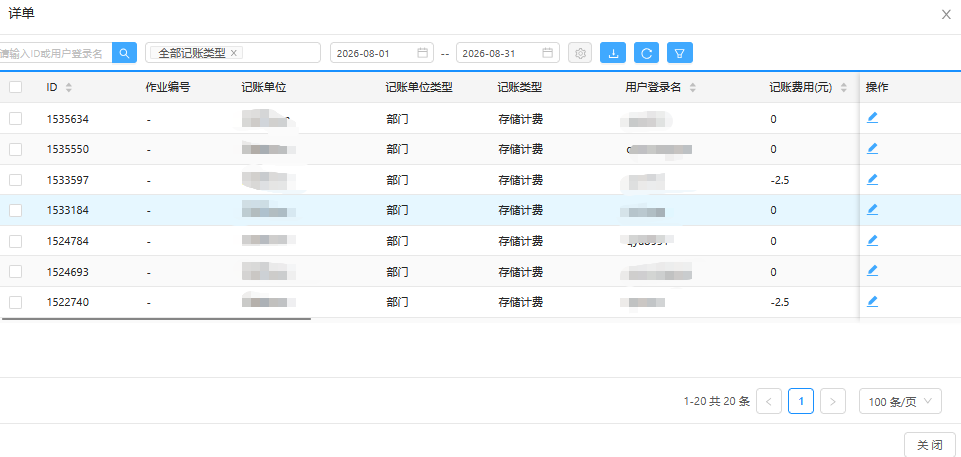
Billing Details (Phase IV)
On-campus users can view personal or team billing details on the HPC AI Computing Platform.
Personal Billing Details
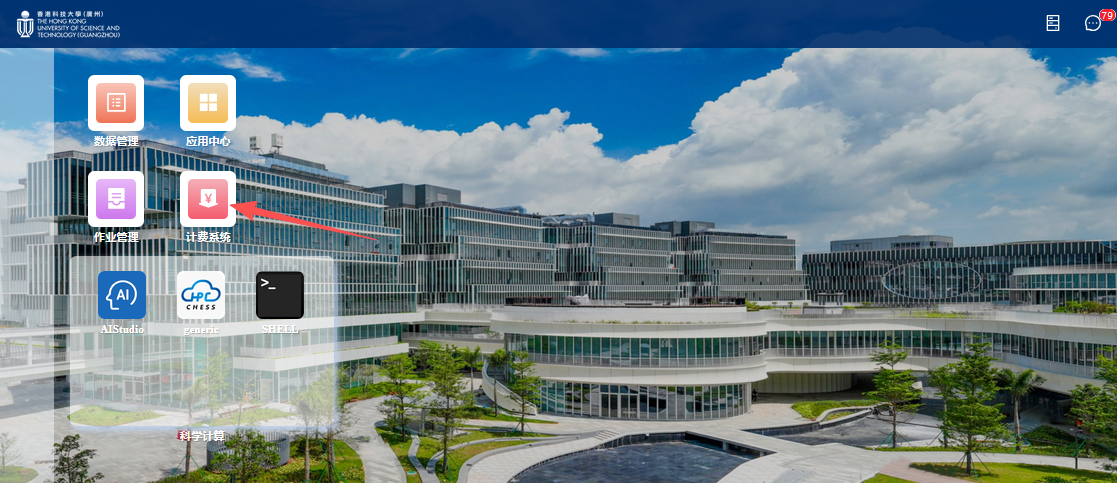
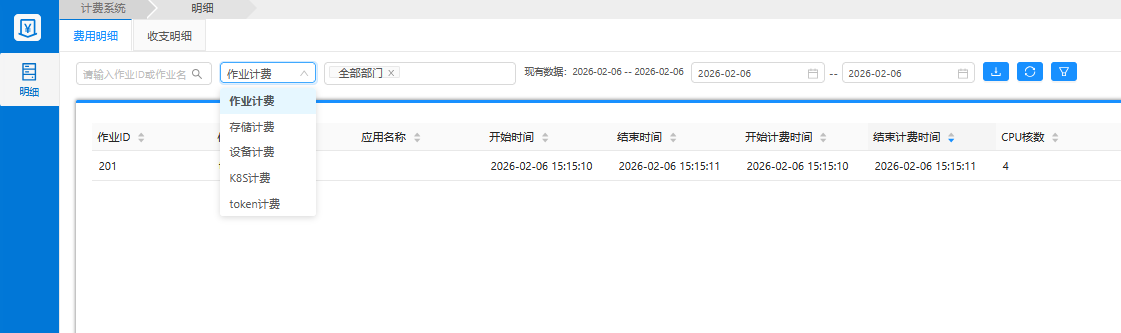
Log in to the HPC AI Computing Platform Phase IV portal, click the 【Billing System】 icon on the desktop to view fee details.
Team Billing Details (Faculty & Staff)
-
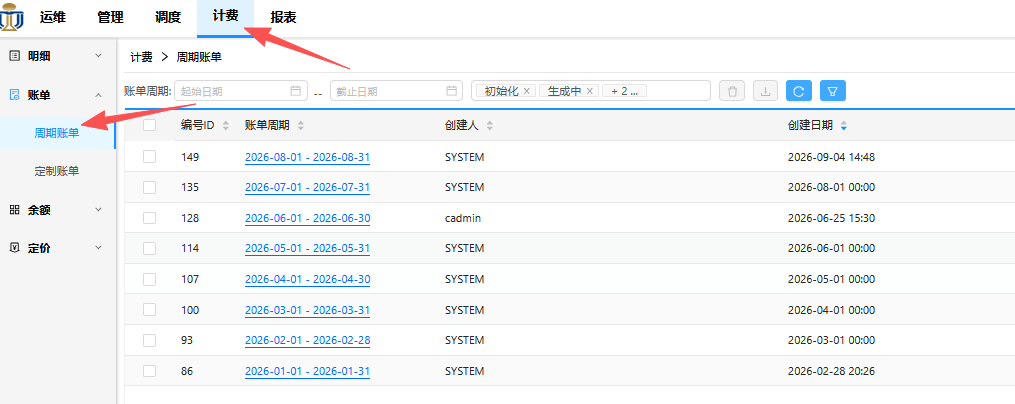
Log in to the HPC AI Computing Platform Phase IV Admin portal, click the 【Billing System】 icon on the left.
-
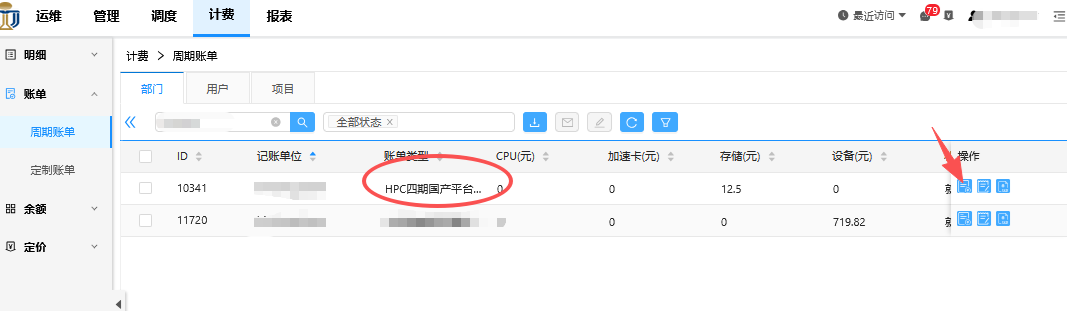
Select 【Bills】 to view the monthly bill list, where the bill type is 【HPC Phase IV Domestic Platform】.
-
Click into a monthly bill to view its details; the detailed fees of that month's bill are shown on the right.