Job Submission & Management (HPC Phase I)
Job Submission
By default, jobs have a maximum runtime of 7 days. You may manually extend the runtime for an additional 7 days before expiration. For instructions, see: Job Runtime Extension
Submit a Standard Job (Command-Line Mode)
Use the command jsub <params> <job_name> to submit a job with specified parameters.
Parameter Examples: :
-q gpu:Submit to the GPU queue. For queue details, see: Resource Queues
-i input.sh: Specify the job input file.
-o output_%J.txt:Define the standard output file (%J represents the job ID).
-e err_%J.txt:Define the standard error output file.
-n 8:Request 8 total CPU cores.
-gpgpu 1:Request 1 GPU card.
-m "g-node01 g-node02":Assign the job to nodes g-node01 and g-node02
-m "~g-node03":Exclude g-node03 from node allocation.
-cwd /apps:Set the job execution path to /apps;By default (without -cwd), the job runs in the submission directory.
Submit a Standard Job (Script Mode)
In addition to command-line submission, users can utilize script-based submission to streamline job parameter management and configuration. By embedding submission parameters directly into a script, users can reuse the script for multiple job submissions, eliminating the need to specify parameters repeatedly.
- Script sample(my_job.sh):
#!/bin/sh
#BSUB -J my_job
#BSUB -q queue_name
#BSUB -o output_%J.txt
#BSUB -e err_%J.txt
python script.py arg1 arg2
- Submission:
jsub my_job.sh
Submit Array Jobs
Users can submit array jobs using the command jsub -J [start_idx-end_idx]. These jobs share the same executable and resource requirements but use distinct input and output files for each task.
$ jsub -J job[1-20] -i input%J_%I -o output%J_%I myjob
Submit Interactive Jobs
Users can submit interactive jobs using the command jsub -I. Interactive jobs function similarly to a foreground session—while the job executes on a backend compute node, the process and output are streamed in real-time to the user’s terminal. This allows users to interact with the job dynamically during execution, enabling tasks like debugging or manual input.
$ jsub -I -n 8 -gpgpu 1 bash
Job Monitoring & Management (Command Line)
View User Jobs (Pending, Running, Suspended)
$ jjobs -u <username>
View Historical Jobs
$ jhist -u username
View Job Details
$ jjobs -l jobid
View Array job
$ jjobs -A
View Pending job
$ jjobs -p
Suspend Job
$ jctrl stop jobId
Resume Job
$ jctrl resume jobId
Terminate Job
$ jctrl kill jobId
Job Viewing and Management (WEB)
View User Jobs
Log in to the HPC Platform Portal → My Jobs → Select Phase-I_HPC-X86_NVIDIA (unischeduler)

View Job Details
Click on the job number to view the details of the corresponding job.
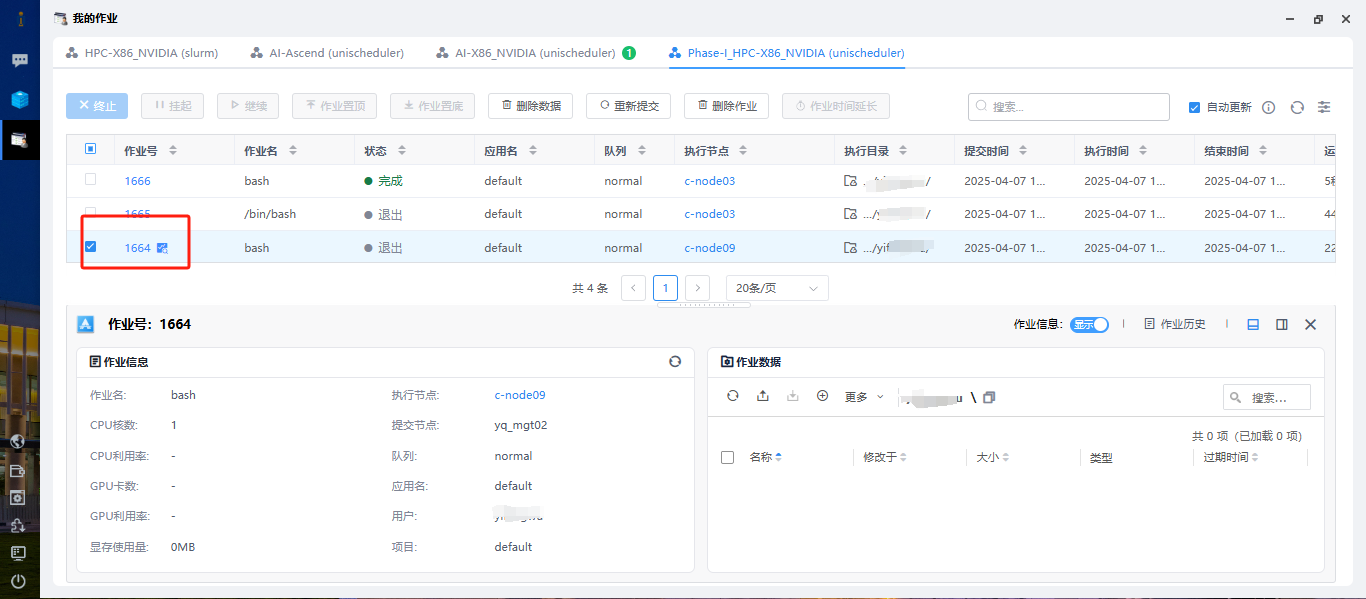
Terminate Job
Select the corresponding job and view its details.
